![Yeti Support.png]](https://support.yetisoftware.com/hs-fs/hubfs/Yeti%20Support.png?height=40&name=Yeti%20Support.png)
What is archiving?
Archiving means we can move items that we no longer need to the inactive Tab. They will stay here unless you choose to make them active again. They are not deleted but simply put aside until they are needed again.
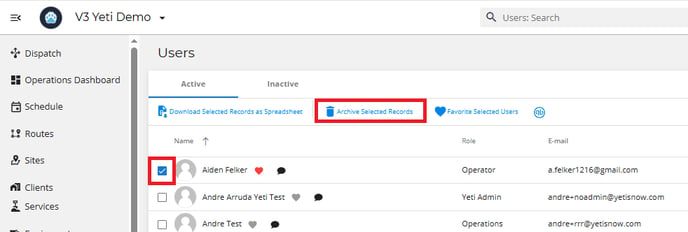
In the example below, we are archiving a user. This will deactivate the users and block their access to your company on the web and mobile app.
Head over to the user page.
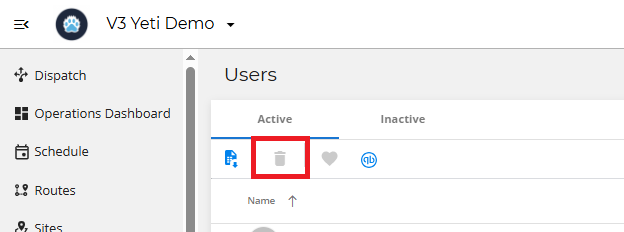
This icon will be grayed out. When you select an item on that page, it will then be selectable.
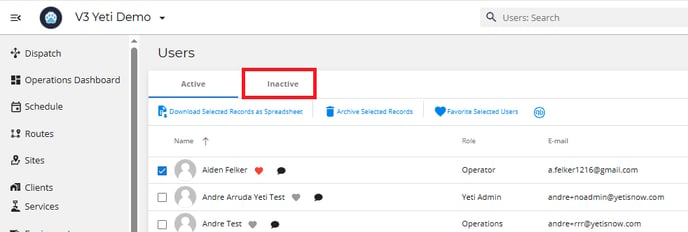
Select the inactive tab to see what items are currently archived.
What can you archive?
Archiving Sites
Important: Archiving Sites does cause loss of data. This included Contact, Site Maps, Measurement, Tags, Site and Client References, Notes, Requirements, Geofence, Map icon, Services, and the Routes that had this Site listed. The site name and address will remain.