![Yeti Support.png]](https://support.yetisoftware.com/hs-fs/hubfs/Yeti%20Support.png?height=40&name=Yeti%20Support.png)
To keep your records accurate, sites cannot be permanently deleted from the system. This ensures that all historical data, reports, and service logs associated with that site remain available for your review.
If you no longer service a location, you can mark the site as inactive (also known as archiving).
What happens when a site is inactive?
- Hidden from workflows: The site will no longer appear in your active dispatching, scheduling, or day-to-day operations.
- Data is preserved: All past work orders, photos, and billing info stay safely in your history.
- Easy to restore: If you start servicing that location again, you can quickly move it back to your active list.
How to make a site inactive:
- Go to the Sites page.
- Select the site you wish to remove.
- Click the Archive Selected Records option.
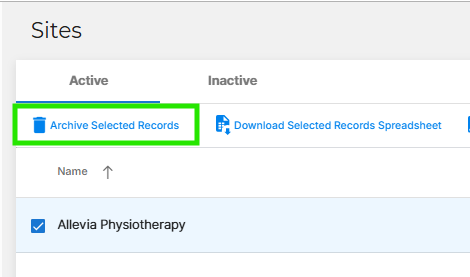
- The site will now be moved to your Inactive tab.