![Yeti Support.png]](https://support.yetisoftware.com/hs-fs/hubfs/Yeti%20Support.png?height=40&name=Yeti%20Support.png)
Table of contents:
Export Options
You can export data in two ways:
- By selecting specific companies and clicking the Export button.
- By using the search filter to narrow results and then exporting the filtered list.
Exporting from the Clients Page
Go to Clients Page
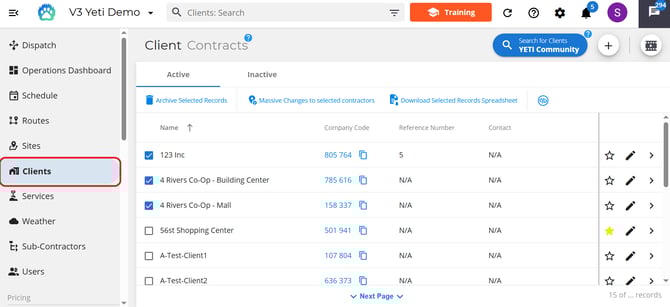
Either:
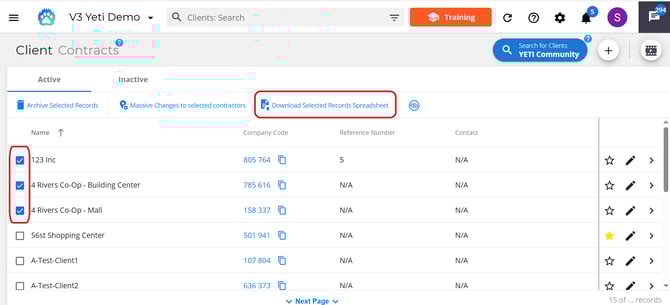
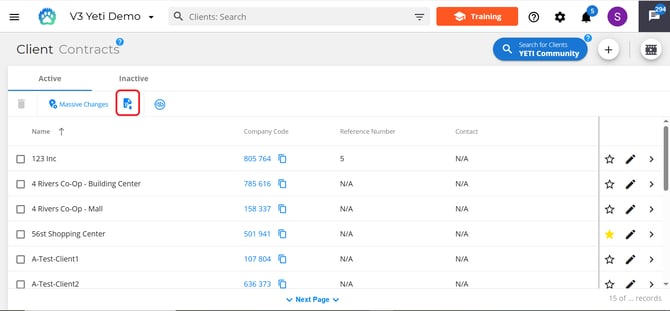
- Select the checkboxes next to the Clients contracts you want to export, then click Export.
- Use the search field to find specific Clients contracts, then click Export to download the filtered results.
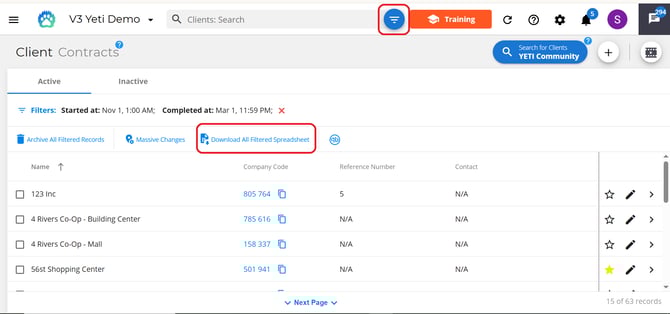
- Select the export spreadsheet button to export all client contracts
Exporting from the Subcontractors Page
Go to Subcontractors page
Either:
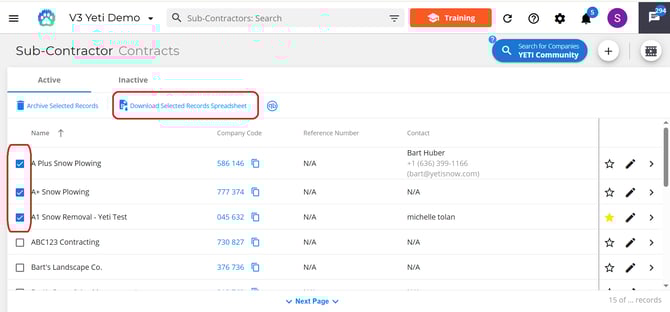
- Select the checkboxes next to the Subcontractors contracts you want to export, then click Export.
- Use the search field to find specific Subcontractors contracts, then click Export to download the filtered results.
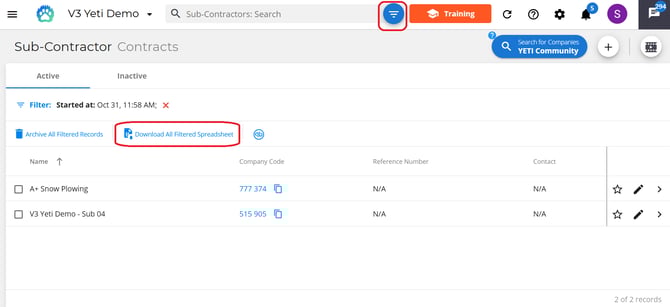
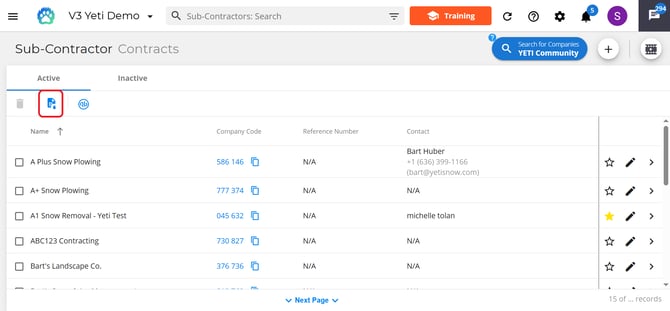
- Select the export spreadsheet button to export all subcontractors' contracts.