![Yeti Support.png]](https://support.yetisoftware.com/hs-fs/hubfs/Yeti%20Support.png?height=40&name=Yeti%20Support.png)
Table of Content:
A High Performance subscriber can import data only once (one data upload), while an Enterprise subscriber can import data several times.
Important information:
- The import does not require the completion of every tab, but there are some mandatory fields highlighted in orange. As an example, if you are including a Site, you will need to fill in its address.
- Do NOT rename or remove the spreadsheet columns or tabs. This will cause import problems.
To get started using Yeti with your own data, follow the steps below.
- Get your Yeti Import Template
- Follow the instructions in the template
- Send your import template data
Get your Yeti Import Template
- Click here to user the import template spreadsheet file.
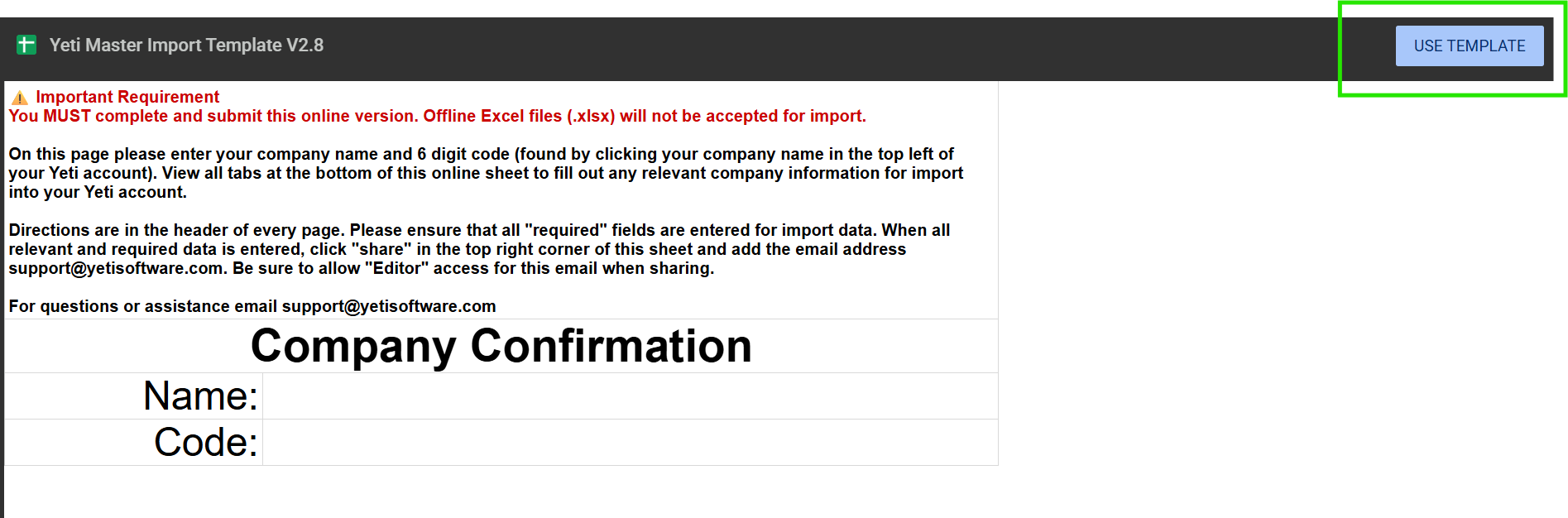
- Click on ‘Use Template’ option in the top-right corner of the screen to create your own document.
Send your import template data
Once you have completed filling in your data, share the file direct with support@yetisoftware.com.
How to share the file
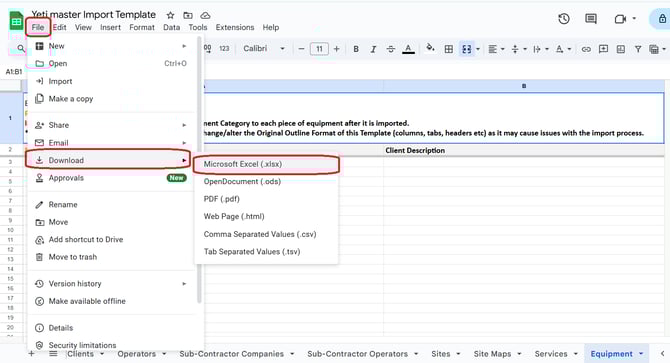
Click on File > Download > Microsoft Excel and attach this file to the email.
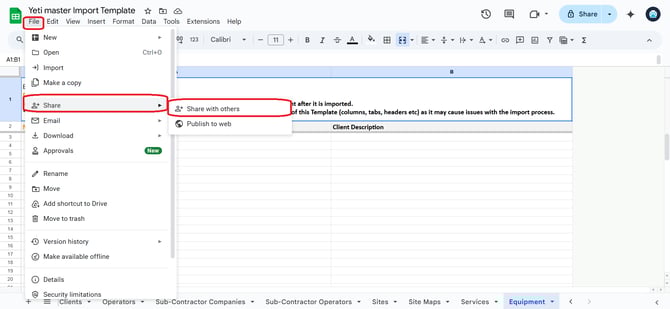
- Sharing the file
- Click on ‘Share’
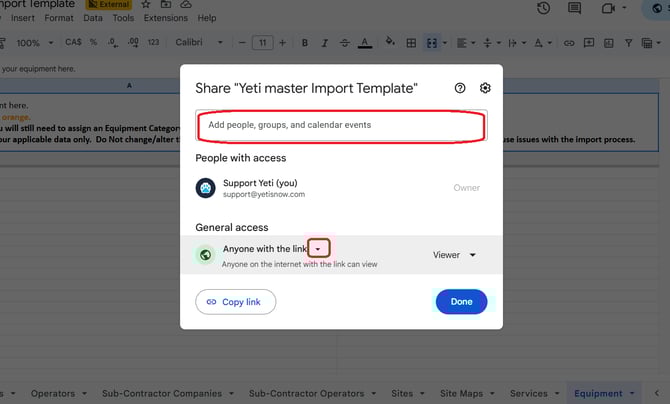
2. Type your Yeti contact’s email address and give access to the file by clicking on the arrow and selecting ‘Anyone with this link’.
If you have any questions, please contact Yeti Support (support@yetisoftware.com).