
At Yeti, we offer Enterprise and High-Performance customers data import services.
Customers can fill out the Data Import Template with data about their company. This includes information such as:
- Client base
- Crew members (both internal employees and those who are sub-contracted out)
- Sites
- Services that they provide
- Equipment
Once filled out, the customer will then pass it to a Yeti member of staff. The data will be checked to make sure that it is in the right format and is filled out correctly. Once this is done the company data will be uploaded to the staging environment to make sure it appears in the Yeti environment as it should.
The Template
The data import template can be found here. It contains 9 Sheet. Each sheet will have several columns to fill out.
Home
- Company Name: The name of the company (Yeti Customer) that they have down in Yeti.
- Company Code: This is the identification code that Yeti gives a company once they are signed up as a customer. It can be found in the customer settings
Client
- Company Name: This is the name of the client. The company name (or person's name) can be put down
- Street Address: List the street part of their business address
- City: List the city part of their business address
- Province/State : List the Province or state part of their business address
- Postal/Zip Code: List the Postal code part of their business address
- Country: List the country part of their business address
- Contact Name: List the name of the point of contact
- Email: List the email of the point of contact
- Mobile Phone/Phone: List the phone number of the point of contact at the company
- Notes: Additional note can be found here
- Reference Number:
- UID:
Operator
- Name: name of the crew member
- Email: crew members email address
- Hourly Rate: how much the company pays them ($ is not need, only note the figure)
- Street Address: crew members home address
- City: crew members home address
- Province/State Postal/Zip Code: crew members home address zipcode
- Country: the country they live in
- Phone: crew members phone
- Notes: additional note
- Tags: tags connected to this crew member
Sub-Contractor
- Sub-Contractor Company Name: Name of the company who sub-contractor for you.
- Street Address, City, Province/State, Postal Code, Country: Sub-contractor company address
- Contact Name, Contact Email, Contact Phone: Sub-contractors Company Address
- Notes: Additional Note
- Reference Number
Sub-Contractor Operator
- Sub-Contractor Name: Crew Member Name
- Email, Street Address, City, Province/State, Postal/Zip Code, Country: Address
- Phone: crew members number
- Notes: additional notes
- Tags: list any tag connected to this operator
Site
- Site Name: the name of the location
- Street Address, City, Province/Stat, Postal/Zip Code, Country: address
- Client: if the site owner is listed in the client sheet that the name must be also listed here.
- Client Reference: what the client calls the site
- Site Reference: what we internally call the site
- Parking Lot Area: please list figure in S2M
- Sidewalk Area: please list figure in S2M
- Contact Name , Contact Email, Contact Mobile Phone, Contact Phone: contacts name and contact details
- Notes: Additional notes
- Tags:
- UID
- Client UID
- Site maps
- Site name: the name of the site (make sure it’s identical to what lifted in the sites page. White spaces and all)
- Url: The url to a picture of the site
- Services
- Name: name of the service
- Client Charge Type: Charge type (Options: )
- Client Rate: the figure of how much you’re charging them
- Sub-Contractor Charge Type:
- Sub-Contractor Rate: the figure of how much you’re charging them
- Site Name: if this is only to be used as a special rate for one site, then list the site here
- Site UID:
- Equipment
- Name: name of the equipment
- Client Description: what you want the client to see in reports
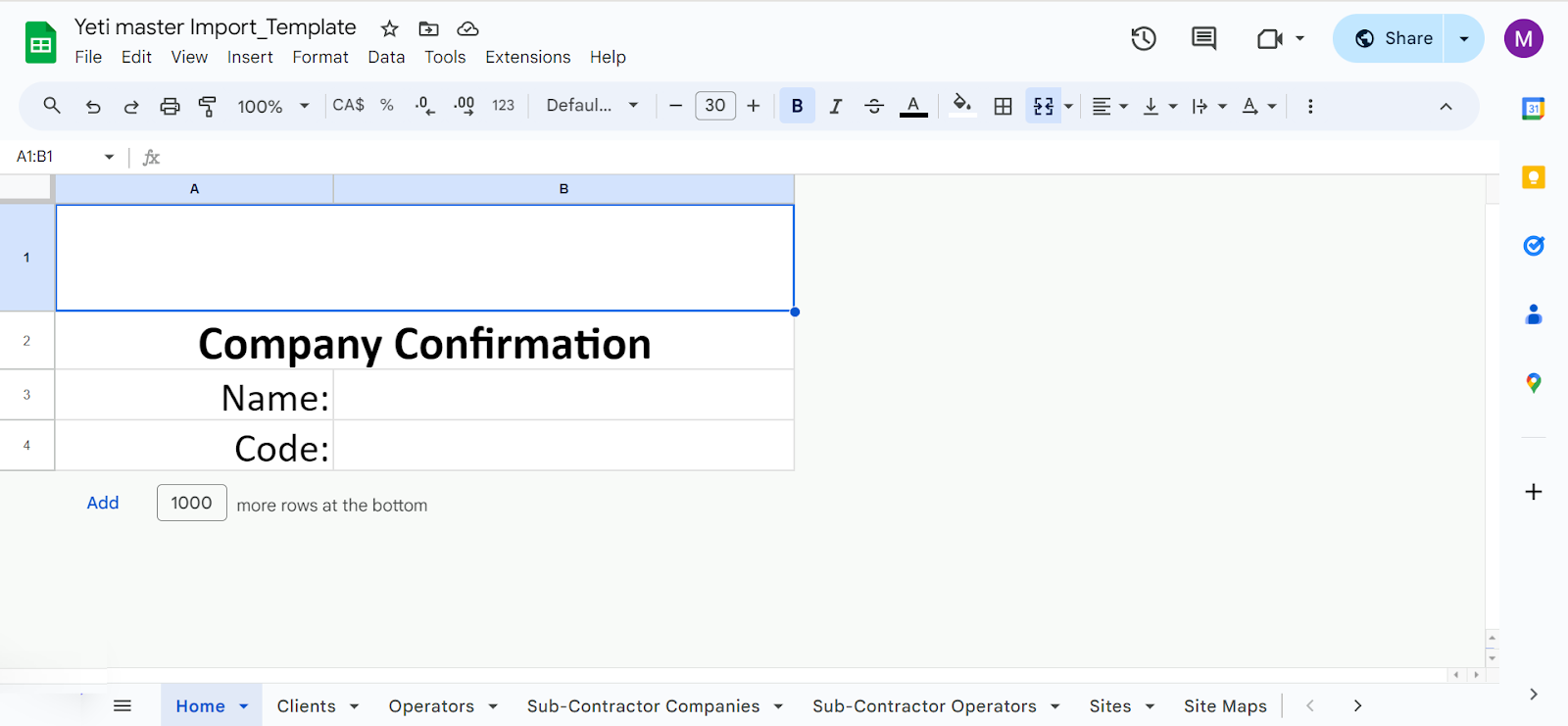
The Import Template
Postman
Postman is a software that allows us to upload information to Yeti Enviroment.This included both the staging environment and production. When do a data import we’ll first need to add yourself to the environment.
Steps to add a user to an environment:
- Go to Add to Company
- Set to this is either Staging or Prodcution.
- Fill in the form. You will need to note down:
- the email of the user you want to add,
- The company code (Please not that staging and prod have different codes for the same company)
- Confirmation is to be set as true
- Click Send
Read the message in the body to see if this was successfully completed
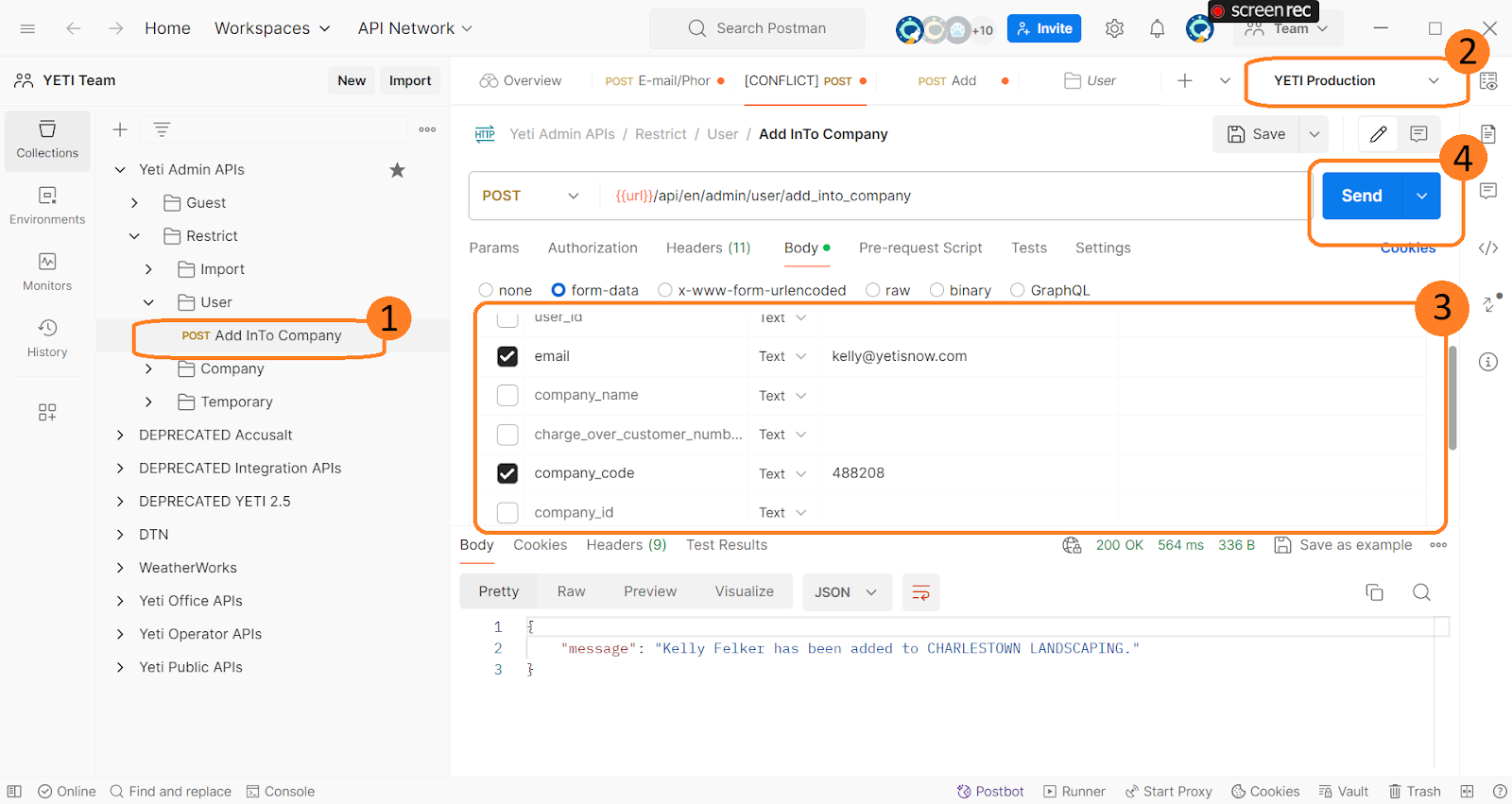
Steps to upload data to an environment:
- Go to Add Into underneath the Import folder
- Set to this is either Staging or Production.
- Fill in the form. You will need to note down:
- Company Code
- Confirmation set to True
- File - Data import template
- Click Send
Read the message in the body to see if this was successfully completed.